LOCATION, SORTED
Test from anywhere.
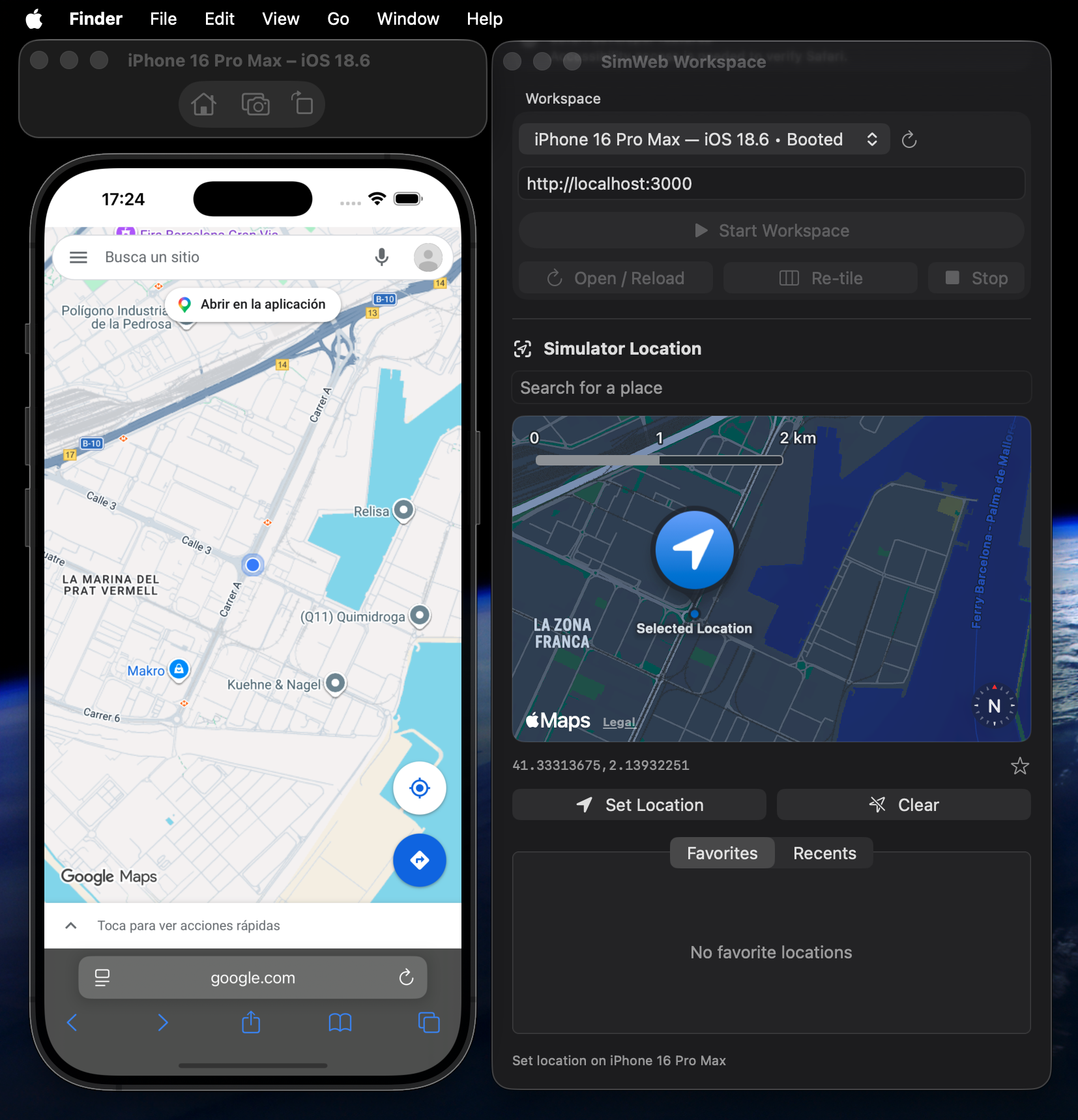
Drop a pin, search a place, or revisit a saved favorite. Give your location-aware website a change of scenery.
 Device HelmGet the beta
 Simulator, location, and Web Inspector.
All in place. So you can get back to building.
Free beta · Apple silicon · macOS 15+ · Xcode required
LESS WINDOW JUGGLING
Three native tools. One place to start.
The familiar workflow, without the repetitive setup.
FROM SETUP TO STARTED
41.3851° N · 2.1734° E
Safari · iOS Simulator
Elements · Console · Network
SMALL DETAILS. LESS FRICTION.
Drop a pin, search a place, or revisit a saved favorite. Give your location-aware website a change of scenery.
Use the full Safari Web Inspector. Inspection stays attached during normal navigation, so you can stay with the problem.
Tile your tools together. Re-tile when you need to. Restore their previous positions when you stop.
Your workspace keeps running in the menu bar, with reload, re-tile, and stop always within reach.
WHY DEVICE HELM EXISTS
I built Device Helm to stop arranging the same windows and repeating the same steps every time I tested a website on iOS. A small, focused tool to make getting started feel a little more effortless.
Bernardo M. Guerreiro · Independent developerA FEW GOOD QUESTIONS
An Apple silicon Mac running macOS 15 or later, Xcode with an installed iOS Simulator runtime, and Safari’s developer features enabled. Device Helm checks your setup and guides you through Accessibility permission on first launch.
Yes. Start your development server, enter its localhost URL in Device Helm, and open it in simulated Safari. Device Helm does not start the development server for you.
Device Helm coordinates Apple’s real iOS Simulator and Safari Web Inspector. Their native windows are arranged together. Physical iPhones and iPads are not supported.
Yes. The current beta is free, independently distributed, and requires no account or subscription. There is no analytics tracking.
Download the DMG and copy Device Helm to Applications. The beta is not notarized yet; macOS may require you to allow it in System Settings → Privacy & Security before first launch.
YOUR NEXT SESSION STARTS HERE
Give your iOS web workflow a little more room to flow.
Download for MacVersion 0.1.2 · Build 7 · Free beta
Apple silicon · macOS 15+ · Xcode required
Not notarized yet. See installation details before your first launch.